

SEO for Beginners: Your Essential Guide to Boosting Website Traffic
SEO for Beginners: Your Essential Guide to Boosting Website Traffic
If you’ve ever wondered why some websites appear at the top of Google while others are buried on page five, the answer is SEO — Search Engine Optimization. This beginner’s guide to SEO walks you through exactly how to boost your website traffic using organic search — no paid ads required. Whether you’re running a small business, a blog, or an e-commerce store, the fundamentals are the same, and they’re more accessible than you might think.
What Is SEO? (Direct Answer)
SEO (Search Engine Optimization) is the process of improving a website’s visibility in organic (non-paid) search engine results pages (SERPs). It involves optimizing your content, site structure, and online authority so that search engines like Google, Bing, and AI-powered platforms understand what your site is about — and rank it higher for relevant searches. Done consistently, SEO is one of the most cost-effective ways to grow your audience over the long term.
Table of Contents
- What Is SEO and Why Does Your Website Need It?
- How Search Engines Work: A Beginner’s Overview
- Step-by-Step Keyword Research for Beginners
- On-Page SEO Fundamentals: Optimising Your Content
- Technical SEO Basics: Making Your Site Search-Engine Friendly
- Off-Page SEO and Link Building Strategies
- Measuring Your SEO Success: Tools and Metrics
- Common SEO Mistakes and How to Avoid Them
- The Future of SEO: AI, Voice Search, and What’s Coming
- SEO Glossary: Key Terms Explained
- Test Your SEO Knowledge: Quick Quiz
- Frequently Asked Questions
Key Takeaways
- SEO helps your website rank higher in search engines like Google, driving free, sustainable organic traffic.
- The three core pillars of SEO are On-Page, Off-Page, and Technical SEO — you need all three working together.
- Keyword research is the foundation of any successful SEO strategy, especially for small business owners and beginners.
- Quality, relevant content published consistently over time builds topical authority and trust with search engines.
- Free tools like Google Search Console and Google Analytics 4 are enough to get started — you don’t need to spend anything on day one.
- Measuring the right metrics (organic traffic, rankings, conversions) keeps your strategy on track and shows you what’s actually working.
- Avoiding common mistakes — like keyword stuffing and ignoring technical issues — matters just as much as doing things right.

What Is SEO and Why Does Your Website Need It?
Think of search engines as the world’s biggest librarians. When someone types a question into Google, the search engine scans billions of web pages and tries to return the most relevant, trustworthy answer. SEO is how you tell that librarian: “My page is the best answer to this question.”
The numbers make the case clearly:
- Google processes approximately 8.5 billion searches per day (Internet Live Stats, 2024).
- The first organic result on Google receives an average click-through rate of 27.6%, while results on page two receive less than 1% of clicks (Backlinko, 2023).
- Organic search drives 53% of all website traffic across industries (BrightEdge, 2023).
For small business owners, bloggers, and e-commerce operators, a well-executed SEO strategy isn’t just a nice-to-have. It’s one of the most cost-effective channels you have — and unlike paid advertising, the traffic keeps coming even when you’re not actively spending.
SEO by Business Type: What to Prioritise
Not every website has the same SEO priorities. Here’s a quick orientation depending on where you’re starting from:
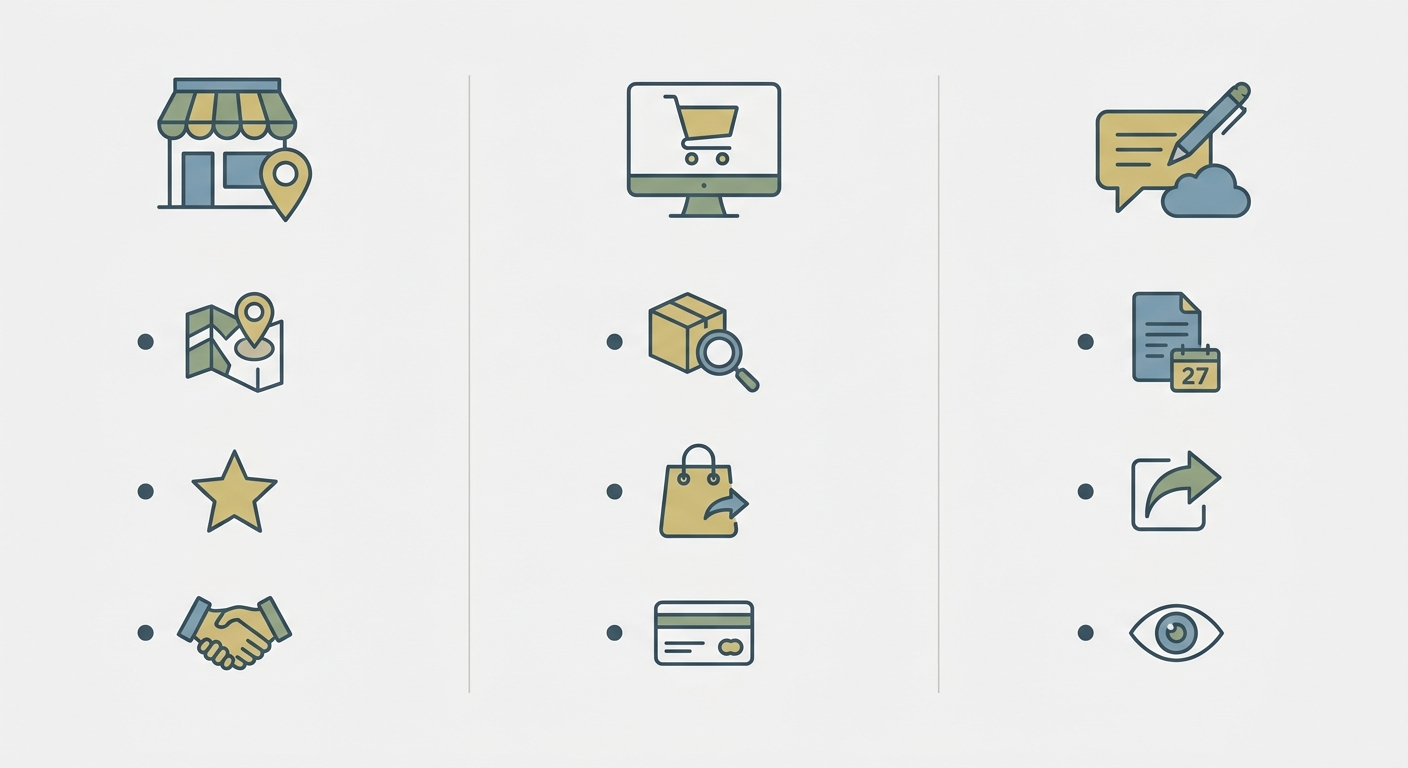
- Local service businesses (plumbers, dentists, consultants): Focus on Google Business Profile, local citations, and location-specific keywords like “emergency plumber in Bristol”.
- E-commerce stores: Prioritise product page optimisation, structured data for rich snippets, and category page keyword targeting.
- Blogs and content sites: Build topical authority through content clusters, focus on long-tail keywords, and earn backlinks through original research or unique perspectives.
How Search Engines Work: A Beginner’s Overview
Before getting into tactics, it’s worth understanding what’s actually happening behind the scenes. Search engines like Google use three core processes:
- Crawling: Automated programs called crawlers (or spiders) browse the web by following links from page to page, discovering new and updated content.
- Indexing: Once a page is crawled, Google stores it in a massive database called the index. If your page isn’t indexed, it won’t appear in search results.
- Ranking: When someone searches, Google’s algorithm evaluates hundreds of signals — relevance, authority, user experience — and decides which pages to show, and in what order.
SEO is the work you do to make each of those three stages as smooth as possible. The three pillars below map directly onto them.
| Pillar | What It Covers | Why It Matters |
|---|---|---|
| On-Page SEO | Content quality, keywords, headings, meta tags, internal links | Helps search engines understand what each page is about |
| Off-Page SEO | Backlinks, brand mentions, social signals, reviews | Builds your site’s authority and trustworthiness |
| Technical SEO | Site speed, mobile-friendliness, crawlability, structured data | Ensures search engines can access and index your site properly |
All three pillars work together. Great content on a slow, broken website may never get ranked. A fast, technically sound site with no credible backlinks will struggle to compete. You need all three moving in the same direction.

Step-by-Step Keyword Research for Beginners
Keywords are the phrases your target audience types into search engines. Before writing a single word of content, you need to know what terms people are actually searching for — and which ones you have a realistic chance of ranking for. Getting this right is the single most important thing a beginner can do.
How to Do Keyword Research: A Step-by-Step Walkthrough
- Brainstorm seed topics. Write down five to ten broad topics that relate to your business or website. If you run a fitness blog, those might include “home workouts”, “nutrition for beginners”, and “weight loss tips”.
- Enter your seed topics into a keyword tool. In Google Keyword Planner (free), type your seed topic and you’ll see a list of related searches with monthly volume and competition data. Look for terms with at least 100–1,000 monthly searches and low-to-medium competition.
- Focus on long-tail keywords. Phrases of three or more words — like “best home workout for beginners with no equipment” — have lower competition and much clearer intent. A new site will almost always rank faster for these than for broad single-word terms.
- Check search intent. Type your target keyword into Google yourself and look at the results. Are they blog posts, product pages, or how-to guides? Your content needs to match what’s already ranking — that’s what Google’s users are telling it they want.
- Prioritise by opportunity. Choose keywords that balance reasonable search volume with competition your site can realistically beat. A Domain Authority of 10 competing for “best running shoes” is a losing battle. “Best running shoes for wide feet under £80” is a different story.
Free vs. Paid Keyword Research Tools: A Quick Comparison
| Tool | Cost | Best For | Limitations |
|---|---|---|---|
| Google Keyword Planner | Free | Volume estimates, beginner research | Ranges rather than exact data; requires Google Ads account |
| Google Search Console | Free | Finding what you already rank for | Only shows your own site data |
| Ubersuggest | Free tier / paid | Competitor analysis, content ideas | Limited daily searches on free plan |
| Ahrefs | Paid (from ~£99/mo) | Deep keyword and backlink research | Cost prohibitive for absolute beginners |
| SEMrush | Paid (from ~£100/mo) | Full SEO suite, competitor tracking | Steep learning curve |
| Rankmanager | Paid | AI-powered optimisation for WordPress | WordPress/WooCommerce specific |
For most beginners, starting with Google Keyword Planner and Google Search Console is completely sufficient. Once you’re seeing consistent traffic and have a budget to reinvest, graduating to a paid tool opens up significantly more competitive intelligence.
On-Page SEO Fundamentals: Optimising Your Content
On-page SEO is where most beginners should start — it’s within your direct control and delivers noticeable results faster than the other pillars. Every page you publish is an opportunity to send clear signals to search engines about what you cover and who you’re trying to help.
Optimising Each Page: The Core Elements
- Include your primary keyword in the H1 title, first paragraph, and naturally throughout the body. Aim for roughly 1–2% keyword density — never force it.
- Write a compelling meta title (50–60 characters) with your keyword near the front. This is what appears as the clickable link in Google results.
- Write a meta description (150–160 characters) that includes your keyword and gives the reader a clear reason to click. Think of it as a two-line sales pitch for your page.
- Use descriptive heading tags (H2, H3) to organise your content logically — both for readers and for crawlers trying to understand your page structure.
- Add alt text to all images describing what they show. This helps with both accessibility and image search visibility.
- Include internal links to other relevant pages on your site. This helps search engines discover more of your content and keeps visitors engaged longer.
- Prioritise depth and relevance over length. A 600-word page that fully answers a specific question will outperform a 2,000-word page that drifts off-topic.
Building Topical Authority with Content Clusters
One of the most powerful — and underused — strategies for beginners is building topical authority. Instead of writing random one-off blog posts, create a content cluster: a main “pillar” page covering a broad topic in depth, surrounded by supporting articles that each explore a specific subtopic.
For example, if your pillar page is “SEO for Beginners”, your cluster articles might cover keyword research, meta descriptions, link building, and page speed separately — each linking back to the pillar. Over time, Google sees your site as a comprehensive, trustworthy resource on the subject, which helps all your related pages rank higher together.
A Real-World Example: How a Content Cluster Changed Everything
Case Study: A UK-based personal finance blog was publishing one-off articles with no internal linking structure. Organic traffic had plateaued at around 800 visits per month for six months. After restructuring content around three pillar topics — budgeting, saving, and debt management — with five supporting articles per pillar, all properly interlinked, traffic climbed to 3,400 monthly visits within four months. No new backlinks were built during that period. The existing content simply started being seen as authoritative and relevant for a broader range of related searches.
Technical SEO Basics: Making Your Site Search-Engine Friendly
Technical SEO ensures that search engine crawlers can actually access, understand, and index your website. You can write the best content in the world — if the technical foundations are broken, it may never get ranked.
Technical SEO Checklist for Beginners
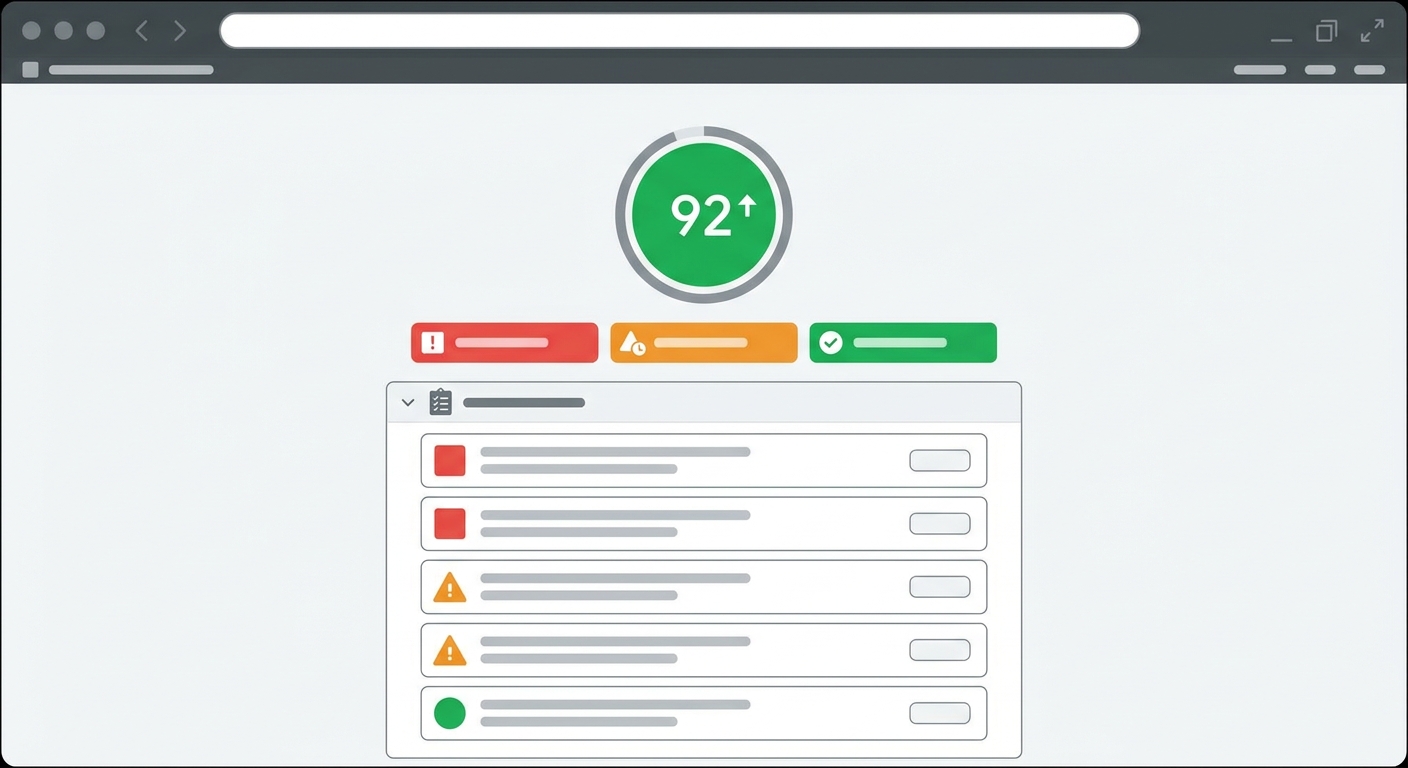
- ✅ Page speed: Pages should load in under 3 seconds. Use Google PageSpeed Insights to identify specific issues dragging your score down.
- ✅ Mobile-friendliness: Over 60% of Google searches happen on mobile. Your site must be fully responsive — check it on your own phone before anything else.
- ✅ HTTPS/SSL: Secure your site with an SSL certificate. Google uses HTTPS as a ranking signal and some browsers actively warn users away from non-HTTPS sites.
- ✅ XML Sitemap: Submit a sitemap to Google Search Console so crawlers can easily find all your important pages.
- ✅ Robots.txt: Make sure your robots.txt file isn’t accidentally blocking important pages from being crawled. This is a surprisingly common mistake.
- ✅ Fix broken links: Regularly audit for 404 errors and redirect or fix broken links — they frustrate users and waste crawl budget.
- ✅ Structured data (Schema markup): Add schema to help Google understand your content type — especially useful for recipes, reviews, events, and FAQ pages.
- ✅ Core Web Vitals: Google’s three UX signals — Largest Contentful Paint, Interaction to Next Paint, and Cumulative Layout Shift — now directly influence rankings. Check them in Google Search Console under “Experience”.
Off-Page SEO and Link Building Strategies
Off-page SEO is everything that happens outside your website that influences how search engines perceive your authority. The most important signal is backlinks — links from other websites pointing to yours. Think of each backlink as a vote of confidence. A link from a respected industry publication carries far more weight than a link from a low-quality directory.
Practical Link Building Tactics for Beginners
- Guest posting: Write articles for other websites in your niche. You get exposure to a new audience and a backlink in return. Start with smaller blogs before pitching major publications.
- Digital PR: Create genuinely newsworthy content — original data, surveys, or unique insights — and pitch it to journalists. A single mention in a national publication can deliver dozens of high-authority links.
- Broken link building: Find pages on other sites that link to dead resources, then offer your content as a replacement. Tools like Ahrefs or even a free Chrome extension like Check My Links can help you find these.
- Unlinked brand mentions: Use Google Alerts or a tool like Mention to find places where people reference your brand without linking to you. A polite outreach email asking them to add a link converts surprisingly well.
- Local citations: For local businesses, getting listed on directories like Yelp, Yell, and industry-specific platforms builds both authority and local search visibility.
One thing worth saying clearly: link quality matters far more than quantity. Ten links from relevant, authoritative websites will outperform 500 links from spammy directories. Avoid any service offering guaranteed link packages — that’s a shortcut to a Google penalty.
Measuring Your SEO Success: Tools and Metrics That Actually Matter
Tracking the right metrics is what separates a strategy that evolves from one that stagnates. The good news is you don’t need to monitor everything — just the signals that tell you whether your effort is translating into real results.
The Metrics Worth Your Attention
| Metric | What It Tells You | Where to Find It |
|---|---|---|
| Organic traffic | How many visitors arrive via search engines | Google Analytics 4 |
| Keyword rankings | Where your pages appear in search results | Google Search Console, Ahrefs, Rankmanager |
| Click-through rate (CTR) | How often people click your result after seeing it | Google Search Console |
| Bounce rate / engagement rate | Whether visitors find what they came for | Google Analytics 4 |
| Backlink profile | Who links to you and how authoritative they are | Ahrefs, Google Search Console |
| Conversions | Whether organic visitors take the action you want | Google Analytics 4 (Goals/Events) |
Set a monthly review date and check these numbers consistently. SEO progress is rarely linear — you’ll see flat periods followed by jumps. What you’re looking for over three to six months is a clear upward trend in organic traffic and improving rankings for your target keywords.
Common SEO Mistakes Beginners Make — and How to Fix Them
Knowing what not to do is just as valuable as knowing what to do. These are the mistakes that show up most often in beginner websites, and each one has a straightforward fix.
The Most Common SEO Pitfalls
| Mistake | Why It Hurts | The Fix |
|---|---|---|
| Keyword stuffing | Makes content unreadable; triggers Google penalties | Write naturally. Aim for 1–2% keyword density and use semantic variations. |
| Ignoring search intent | Ranking for the wrong type of content (e.g., a product page where Google wants a guide) | Search your target keyword and match the format of what’s already ranking. |
| Thin or duplicate content | Google deprioritises pages with little value or repeated content | Consolidate thin pages. Add depth, examples, and original insight to existing content. |
| Neglecting title tags and meta descriptions | Lower click-through rates; missed keyword signals | Write a unique, keyword-rich meta title and description for every page. |
| Buying low-quality backlinks | Can trigger a Google penalty and tank your rankings | Build links through content, relationships, and outreach only. |
| Not tracking anything | No way to know what’s working or why rankings changed | Set up Google Analytics 4 and Google Search Console before publishing anything. |
| Ignoring Core Web Vitals | Poor page experience directly affects rankings | Run PageSpeed Insights on your key pages and address the flagged issues. |
The Future of SEO: AI, Voice Search, and What’s Coming
SEO is not standing still. The arrival of AI-generated search summaries — Google’s AI Overviews — means that for some queries, users now get an answer directly on the results page without clicking any link. That changes the game for certain types of content, and it’s something every beginner should understand now rather than discover later.
Three Shifts Worth Preparing For
AI-powered search results: Google’s AI Overviews pull from authoritative, well-structured content. Pages that are clear, factually specific, and properly organised with schema markup are more likely to be cited. Writing in plain, direct language and including definition blocks and FAQs significantly improves your chances of appearing in these summaries.
Voice search optimisation: Voice queries are longer and more conversational than typed ones. “Best pizza near me” becomes “What’s the best pizza restaurant open right now near Shoreditch?” Structuring content around natural-language questions — particularly in FAQs and how-to sections — positions you well for this format.
E-E-A-T (Experience, Expertise, Authoritativeness, Trustworthiness): Google’s quality raters increasingly look for evidence that content is written by someone with real-world experience. Author bios, first-person examples, citations, and up-to-date information all contribute. For beginners, this means showing your working — don’t just state facts, explain how you know them.
None of these trends require you to rebuild your strategy from scratch. They’re all extensions of what good SEO has always been: write genuinely useful content, for real people, on a site that works properly. That remains the foundation.
SEO Glossary: Key Terms Explained
Algorithm
The set of rules and signals Google uses to rank web pages. Google’s algorithm is updated hundreds of times per year, with major updates (like Helpful Content or Core Updates) capable of significantly shifting rankings.
Anchor text
The clickable, visible text in a hyperlink. Descriptive anchor text (e.g., “how to do keyword research”) gives search engines context about the page being linked to.
Backlink
A link from one website to another. Backlinks from authoritative, relevant sites are one of the strongest ranking signals in SEO.
Canonical tag
An HTML element that tells search engines which version of a page is the “official” one when similar or duplicate content exists across multiple URLs.
Core Web Vitals
Three Google metrics measuring page experience: Largest Contentful Paint (loading speed), Interaction to Next Paint (responsiveness), and Cumulative Layout Shift (visual stability).
Crawl budget
The number of pages Googlebot will crawl on your site within a given timeframe. Wasting crawl budget on low-value pages means important pages may be crawled less frequently.
Domain Authority (DA)
A third-party metric (created by Moz) that estimates a website’s overall ranking strength on a scale of 1–100. Not an official Google metric, but useful as a comparative benchmark.
E-E-A-T
Experience, Expertise, Authoritativeness, and Trustworthiness. A framework Google uses to evaluate content quality, particularly for sensitive topics like health, finance, and legal advice.
Index
Google’s database of web pages that have been crawled and deemed worthy of inclusion. Only indexed pages can appear in search results.
Long-tail keyword
A search phrase of three or more words with a specific intent. Generally lower in search volume but higher in conversion potential and easier to rank for on newer sites.
Meta description
A short HTML snippet (150–160 characters) summarising a page’s content. It appears under the meta title in search results and influences click-through rate, though not directly a ranking factor.
Meta title (title tag)
The HTML tag that defines the title of a page as it appears in search results and browser tabs. One of the most important on-page SEO elements.
Organic traffic
Visitors who arrive at your website through unpaid search engine results, as opposed to paid ads, social media, or direct visits.
Robots.txt
A text file on your website that instructs search engine crawlers which pages or sections they should and shouldn’t crawl.
Schema markup
Structured data code added to your HTML that helps search engines understand the content of a page and potentially display rich results (star ratings, FAQs, event dates, etc.) in SERPs.
Search intent
The underlying reason behind a search query. The four main types are informational (learning something), navigational (finding a specific site), commercial (researching before buying), and transactional (ready to buy).
SERP
Search Engine Results Page. The page Google (or another search engine) displays in response to a query. Features include organic results, paid ads, featured snippets, image packs, and more.
Sitemap (XML)
A file that lists all the important pages on your website, helping search engines find and crawl them efficiently. Submitted via Google Search Console.
Topical authority
The degree to which a website is recognised by search engines as a reliable, comprehensive source on a given subject. Built through content depth, consistency, and internal linking.
Test Your SEO Knowledge: Quick Quiz
Work through these questions to check what you’ve taken in. Answers are included beneath each question — but try to answer before looking.
-
What are the three core stages a search engine uses to process web pages?
Answer: Crawling, Indexing, and Ranking. -
What is a long-tail keyword, and why should beginners focus on them?
Answer: A long-tail keyword is a phrase of three or more words with a specific intent. Beginners should focus on them because they have lower competition and are much easier to rank for on a new site. -
What does E-E-A-T stand for, and why does it matter?
Answer: Experience, Expertise, Authoritativeness, and Trustworthiness. It’s the framework Google uses to assess content quality — particularly for topics where accuracy really matters. -
Name two free tools a beginner can use to track their SEO performance.
Answer: Google Search Console and Google Analytics 4. -
What is search intent, and what happens if you ignore it?
Answer: Search intent is the reason behind a query. If you ignore it — for example, writing a blog post when Google’s results are all product pages — your content will struggle to rank regardless of how well-optimised it is.
Frequently Asked Questions About SEO for Beginners
How long does SEO take to show results?
Most websites start seeing meaningful changes in organic traffic between three and six months after implementing consistent SEO improvements. Newer sites with little existing authority typically sit at the longer end of that range. The timeline depends on your starting point, how competitive your niche is, and how consistently you’re publishing and building authority. SEO is a long-term investment — but once rankings establish, they tend to hold far more durably than paid traffic.
Do I need to know how to code to do SEO?
No. Basic on-page SEO — optimising titles, writing meta descriptions, improving content structure — requires no coding knowledge at all. If you’re on WordPress, plugins like Yoast SEO or Rank Math handle the technical formatting for you. Some technical SEO tasks (like implementing schema markup or editing robots.txt) benefit from basic HTML familiarity, but there are plenty of guides and tools that walk you through these without requiring you to write code from scratch.
Is SEO still worth it with AI changing search?
Yes — arguably more so for websites that do it well. AI-powered search summaries pull from the same pool of trusted, authoritative web content. A site that’s well-optimised, credible, and structured clearly is more likely to be cited in AI Overviews, not less. What’s changing is the type of content that performs best — generic, surface-level articles are being squeezed out, while genuinely useful, experience-backed content is holding up well and often gaining visibility.
How many keywords should I target on a single page?
One primary keyword per page, with several semantically related secondary keywords supporting it. Trying to rank a single page for five unrelated terms splits your relevance signal and confuses both readers and search engines. If you have multiple distinct keyword opportunities, create a separate, focused page for each one.
What’s the difference between SEO and SEM?
SEO (Search Engine Optimization) refers specifically to improving your organic (unpaid) search visibility. SEM (Search Engine Marketing) is a broader term that includes both organic SEO and paid search advertising (like Google Ads). Many marketers use SEM to refer to paid search only, so it’s worth clarifying which one someone means when the term comes up.
Can I do SEO myself, or do I need to hire an agency?
You can absolutely do SEO yourself, especially in the early stages. The fundamentals — keyword research, on-page optimisation, content creation, and technical basics — are learnable skills. Most small business owners and bloggers start this way and make significant progress before bringing in outside help. An agency becomes genuinely useful when you’ve hit a growth ceiling, need competitive link building at scale, or lack the time to manage ongoing content production and monitoring.